
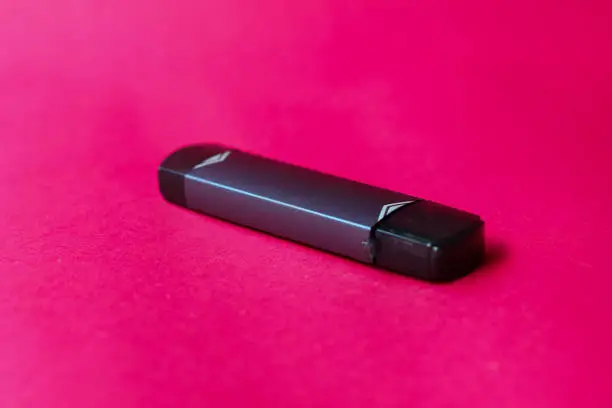
If you’re searching for how to charge a vape pen, you’re likely trying to ensure your device charges safely, efficiently, and lasts as long as possible. Charging your vape pen correctly is essential for maintaining battery health, avoiding damage, and ensuring consistent performance. This guide explains the proper way to charge a vape pen along with best practices and common mistakes to avoid.
Why Proper Charging Matters
Charging your vape pen the right way helps:
- Extend battery lifespan
- Prevent overheating or damage
- Maintain consistent vapor production
- Avoid battery failure or safety risks
Using incorrect charging methods can reduce performance and shorten the life of your device.
1. Identify the Type of Vape Pen You Have
Before charging, determine your device type:
- Built-in battery vape pens (USB charging)
- Removable battery pens (external charger required)
Each type has a slightly different charging method.
2. Use the Correct Charging Cable
Most vape pens come with a compatible charging cable (often USB or USB-C).
Best practices:
- Use the original cable when possible
- Avoid cheap or incompatible chargers
- Ensure a stable power source (USB port, adapter, or power bank)
Using the wrong charger can damage the battery.
3. Connect the Charger Properly
- Plug the cable into the vape pen charging port
- Connect the other end to a USB power source
- Ensure the connection is secure
Most devices will display a light indicator while charging.
4. Monitor Charging Indicators
Vape pens typically use LED lights to indicate charging status:
- Red or blinking light → charging in progress
- Green or solid light → fully charged
Always refer to your device manual for exact indicators.
5. Avoid Overcharging Your Vape Pen
Overcharging can reduce battery lifespan.
Tips:
- Disconnect once fully charged
- Avoid leaving it plugged in overnight regularly
- Unplug when the indicator shows full charge
Many modern devices include overcharge protection, but it’s still best practice to unplug when done.
6. Charge in a Safe Environment
For safety and performance:
- Charge on a flat, dry surface
- Avoid extreme temperatures
- Keep away from water or moisture
- Do not charge on flammable materials
Proper environment helps prevent accidents and overheating.
7. Maintain Your Charging Port
Dust or debris in the charging port can affect performance.
- Clean the port gently if needed
- Avoid forcing the charger in
- Ensure a snug but not tight connection
Common Charging Mistakes to Avoid
- Using incompatible chargers
- Overcharging the device
- Charging in extreme heat or cold
- Ignoring battery warnings
- Using damaged cables
Avoiding these mistakes will help maintain your vape pen’s longevity.
How Long Does It Take to Charge a Vape Pen?
Charging time depends on battery size and charger type, but typically:
- Small vape pens: 1–2 hours
- Larger batteries: 2–4 hours
Always stop charging once fully charged to preserve battery health.
FAQ
How do I know when my vape pen is fully charged?
Most vape pens show a green or solid LED light when fully charged.
Can I use my vape pen while charging?
Some devices allow pass-through charging, but it’s recommended to avoid using it while charging unless specified by the manufacturer.
What charger should I use for my vape pen?
Use the charger provided by the manufacturer or a compatible USB/USB-C cable designed for your device.
Final Thoughts
Understanding how to charge a vape pen correctly ensures better performance, longer battery life, and safer usage. By using the proper charger, monitoring charging indicators, and avoiding common mistakes, you can keep your vape pen in optimal condition and enjoy a reliable experience.