
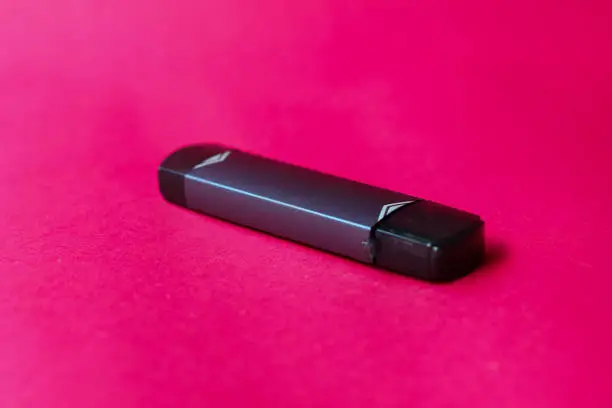
Learning how to charge a vape pen correctly is important to ensure your device works properly, lasts longer, and avoids battery damage.
Whether you’re using a basic vape pen or a more advanced model, the charging process is usually simple—but doing it the wrong way can reduce battery life or cause performance issues.
In this guide, you’ll learn the correct step-by-step process for charging a vape pen safely and efficiently.
Understanding Vape Pen Types Before Charging
Before charging, you need to know what type of vape pen you have:
🔋 1. Built-in Battery Vape Pens
- Charge via USB cable
- Most common type
- No battery removal needed
🔋 2. Removable Battery Vape Pens
- Battery is taken out and charged separately
- Uses external charger
- Common in advanced devices
How to Charge a Vape Pen (Step-by-Step)
Follow these steps for safe charging:
Step 1 – Locate the Charging Port
Most vape pens have a charging port:
- USB-C or Micro-USB
- Located at the bottom or side
Step 2 – Connect the Charger Properly
- Plug USB into a power source first
- Then connect it to the vape pen
- Ensure it fits securely (but don’t force it)
Step 3 – Check the Indicator Light
Most vape pens show a light when charging:
- 🔴 Red light → charging
- 🟢 Green light → fully charged
Step 4 – Wait for Full Charge
- Charging usually takes 1–3 hours
- Avoid unplugging too early
- Do not overcharge unnecessarily
Step 5 – Disconnect Safely
Once fully charged:
- Unplug the charger
- Reattach cartridge (if needed)
- Your vape pen is ready to use
How to Know If Your Vape Pen Is Charging
Look for these signs:
- Light turns on (red or blinking)
- Device warms slightly (normal)
- Battery indicator increases
👉 If nothing happens, check:
- cable connection
- charging port cleanliness
- USB power source
Common Mistakes to Avoid When Charging a Vape Pen
❌ Using wrong charger
Can damage battery or reduce lifespan.
❌ Overcharging
Can weaken long-term battery performance.
❌ Charging on soft surfaces
Avoid beds or couches due to heat buildup.
❌ Loose connections
Poor contact = no charging.
How Long Does a Vape Pen Take to Charge?
Most vape pens take:
- ⏱ 1 to 2 hours (small batteries)
- ⏱ 2 to 3 hours (larger batteries)
Charging time depends on:
- battery size
- charger type
- device age
Tips to Extend Vape Battery Life
- Don’t drain battery to 0%
- Avoid overnight charging
- Use original charger
- Keep charging port clean
- Store in cool environment
Frequently Asked Questions
How do I know when my vape pen is fully charged?
Most devices show a green light or stop blinking when fully charged.
Can I use my vape while charging?
Most devices do not support this and it is not recommended.
Why is my vape pen not charging?
Common reasons include:
- damaged cable
- dirty charging port
- dead battery
How long should I charge a vape pen for the first time?
Usually until the indicator shows full (about 1–3 hours).
Final Verdict
Knowing how to charge a vape pen correctly helps extend battery life and ensures consistent performance.
By following the correct charging steps and avoiding common mistakes, you can keep your device working efficiently for a long time.